The UC-BX31-T is a Crestron Flex room kit built for small Microsoft Teams Rooms spaces that need simple control, clear video, and room-ready audio. This system is a strong fit for huddle rooms, executive offices, and small meeting rooms where users need to join calls without sorting through cables or settings.
Purpose-Built for Small Teams Rooms
The UC-BX31-T gives your team a native Microsoft Teams Rooms experience from a dedicated room system instead of a shared laptop. Users can walk in, join a scheduled Teams meeting, present content, and manage the call from the tabletop touch screen. That simple workflow helps reduce meeting delays and support tickets, especially in offices with many shared rooms.
What Comes With the System
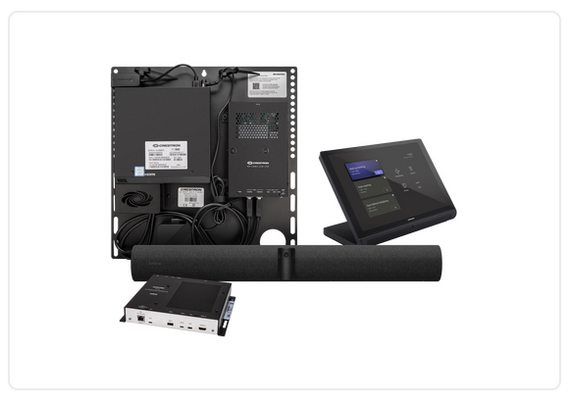
The Crestron BX31 kit includes the main room hardware needed for a small Teams Rooms setup.
- 10.1 in. Crestron tabletop touch screen
- Jabra PanaCast 50 video bar
- UC bracket assembly with room compute hardware
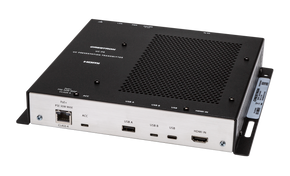
- UC presentation transmitter
- PoE injector and required cables
Displays and display mounts are sold separately, so your team can choose the screen size and mount style that best fits the room.
Clean Tabletop Control
The UC-BX31-T includes a Crestron tabletop touch screen that gives users a clear control point for meetings. That matters in spaces used by different teams, visitors, and leaders who do not want to learn a new setup before each call.
The touch screen keeps common meeting actions easy to find, which helps the room feel more polished and more reliable.
Jabra PanaCast 50 Video and Audio
The included Jabra PanaCast 50 video bar supports a wide room view, making it easier for remote participants to see everyone at the table. Its built-in camera system, speakers, and microphones help reduce clutter while supporting a more natural meeting experience. For small spaces, that all-in-one front-of-room design can be easier to manage than separate cameras, speakers, and table microphones.
BYOD Flexibility for Guest Meetings
The Crestron BX31 system is designed for Microsoft Teams Rooms, but it also supports Bring Your Own Device use. With the UC presentation transmitter, visitors can connect a laptop and use another conferencing platform when the meeting calls for it. This is helpful for companies that use Teams every day but still meet with clients, vendors, and partners on other platforms.
Designed for Simple Deployment
The UC-BX31-T uses a UC bracket assembly with preassembled components to help make installation more direct. The bracket can be mounted on a wall or attached behind a display, depending on the room layout and install plan. That structure helps keep the system organized, which is useful for IT and facilities teams managing more than one room.
Support for Single or Dual Displays
The Crestron BX31 supports single or dual display setups, with displays sold separately. A single display can work well for smaller rooms that mainly need to show remote participants or shared content. A dual display setup may be better when teams want to see people on one screen and content on the other.
Room Control Options
The UC-BX31-T can also be part of a larger Crestron room control plan when paired with the right Crestron control system. That allows touch screen control of room functions such as lighting, shades, climate, or other AV gear.
For many small rooms, simple meeting control is enough. For higher-use spaces, added room control can make the experience smoother.
Management for IT Teams
The Crestron BX31 is a practical choice for organizations that need meeting rooms to be easier to support at scale. Crestron Flex systems can work with device management tools, including XiO Cloud when purchased separately. This can help IT teams monitor rooms, manage devices, and plan updates across a larger workplace.
Who Should Choose This Kit?
The UC-BX31-T is best for teams that want a dedicated small room system for Microsoft Teams Rooms. It is a good match for financial firms, healthcare offices, schools, nonprofits, and corporate teams with steady hybrid meeting use. It is also a smart option when your team wants one room standard that can be repeated across several small spaces.
Why Buy From Chester Springs AV?
Chester Springs AV helps organizations choose meeting room equipment that fits the space, the users, and the support plan. Our team brings 20+ years of AV industry experience, industry-certified guidance, and hands-on knowledge of video conferencing equipment. We can help you compare this system with other Crestron, Logitech, Lenovo, Jabra, Poly, and custom room solutions.
Get Expert Help Before You Order
The Crestron BX31 is a complete kit, but the room still needs the right display, mount, network, and layout. Chester Springs AV can help you confirm those details before purchase so your room is easier to use after installation.
Call for a free consultation with an AV expert or book a remote demo to find your perfect solution.