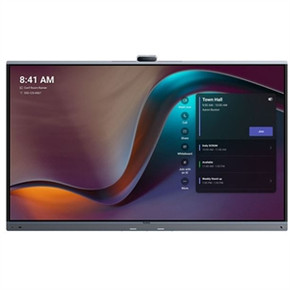
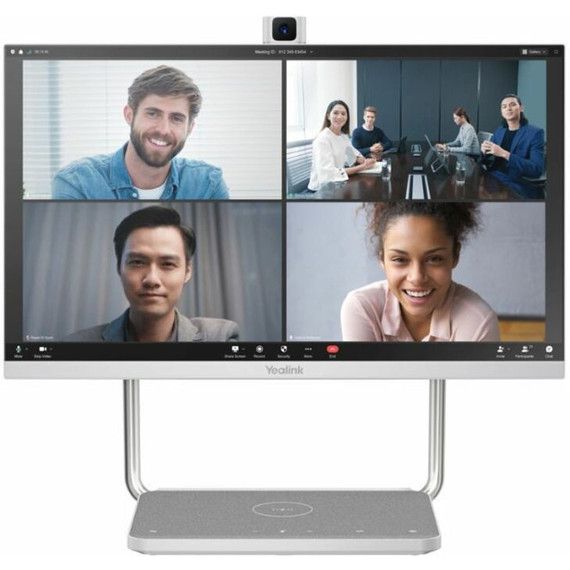
23.8” Display: Yealink DeskVision features a large, Full HD screen for crisp, vivid visuals and a 178° viewing angle for full room coverage.
Built-In 4K Camera: Yealink A24 is equipped with a 4K UHD (Ultra HD) camera for stunning video quality and an electric lift for simple adjustments.
Touchscreen Support: 10-point multi-touch display allows for seamless hands-on control of content and apps.
High-Quality Audio: Dual microphones pick up crisp audio; stereo speakers produce ample volume for clear communication and collaboration.
Charges Wirelessly: Comes with a Qi charging pad for convenient wireless charging of mobile devices during sessions.
Versatile Connectivity: Supports USB-C, USB-A, HDMI, Wi-Fi, and Ethernet connections for easy integration into various systems.
Certified for Microsoft Teams: Yealink DeskVision is optimized for use with Microsoft Teams, ensuring a smooth, seamless integration and performance.
Standalone Device: No external computer is required because the all-in-one device runs natively on its onboard Android OS.
Compact Form Factor: Device has a sleek design and low-profile 21.3" x 8.6" x 18.8" footprint, making it an excellent choice for tight workspaces.
Boosts Engagement: Touch functionality and a 4K camera make collaborating and communicating more engaging and interactive, naturally increasing productivity.
Adjustable Camera: The camera’s built-in electric lift can be maneuvered for ideal positioning and privacy when not in use.
Complete System: Yealink DeskVision comes fully equipped with all components required for video conferencing: display, camera, microphones, and speakers.
Simple Setup: Yealink A24 is certified for Microsoft Teams and compatible with other major video conferencing platforms, facilitating a user-friendly experience.
Multiple Connection Options: With a variety of ports and connectivity options, this device can be incorporated into most existing audiovisual infrastructure.
Space-Efficient Design: The modern, compact design occupies little desk space without compromising power.
Qi Wire-Free Charging: The integrated Qi wireless charging pad reduces cable clutter for a tidy, organized workspace.
No Computer Required: Because it runs Android independently, the Yealink DeskVision doesn’t need a computer.
Superb Audio: All participants can be heard clearly, thanks to the device’s onboard speakers (2) and microphones (2).
This all-in-one display has a 23.8” screen with Full HD resolution. This professional-grade configuration ensures that all in-room users have a clear view of remote team members and content.
Yes, this display is certified and optimized for Microsoft Teams. It’s also compatible with other top video conferencing platforms like Zoom Rooms and Google Meet. Furthermore, the Yealink DeskVision supports Bring Your Own Device (BYOD) for integration with most platforms and hardware.
Absolutely. This all-in-one, standalone unit is thoughtfully designed with a native Android operating system. Because no external desktop or laptop is necessary, this device streamlines your workspace and reduces overhead expenses.
Yes, the device has an integrated Qi wireless charging pad that eliminates the need for charging cables when using mobile devices. Users can charge during meetings and collaboration sessions without causing interruptions.
The Yealink A24 features an extensive array of ports and connectivity options, including industry standards like HDMI, USB-A, USB-C, Ethernet, and Wi-Fi. This unit will integrate seamlessly with the vast majority of video conferencing equipment.
Yes, the camera has an electric lift function that can hide the camera when it’s not being used. This thoughtful feature also allows for precise positioning.
Yes, it’s a comprehensive, cost-effective solution for video conferencing. It comes with everything you need, including the speakers, microphones, camera, and display.
This Yealink DeskVision weighs roughly 17.43 lbs (7.904 kg). It’s a solid, dependable device that doesn’t require a significant amount of desk or table space.
Mounting hardware is included in the box, allowing for intuitive installation to a desk, wall, or other surface.
Details


Why Us?